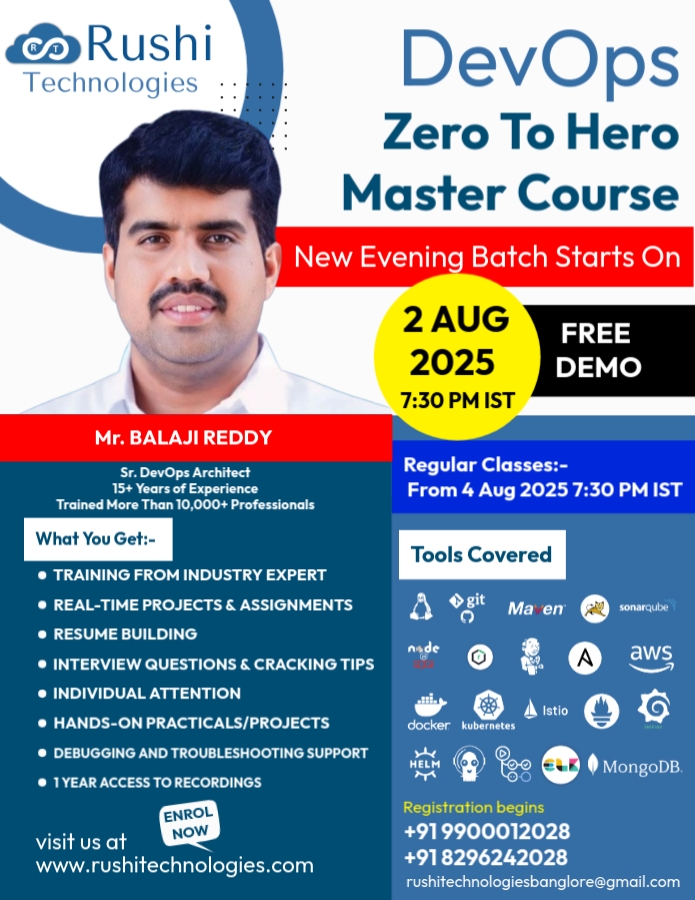
Master Course by Mr. Balaji Reddy, Sr. DevOps Architect (15+ Years Experience)
Software Development Life Cycles (SDLC)
• Waterfall Model
• Agile Methodology
• Scrum Model
• Sprint/ Iteration
What is DevOps & Why DevOps?
• DevOps Importance
• DevOps Model
• DevOps Lifecycle
• Market Trend and Career Scope for DevOps
• DevOps Tools
• What is Operating system
• What is Unix, Linux
• Linux vs Windows
• Linux flavors
• Linux Architecture
• Creation of AWS Account
• Installing SSH & FTP Tools Locally (Desktop/Laptop)
• Linux commands
• Reading files
• User management
• Group management
• File system management
• Process management
• Pipes And Redirection Operators
• Editors
• What is Version Control?
▪ Importance of Version Control in DevOps
▪ Centralized vs. Distributed Version Control Systems
• Types of Version Control Systems:
▪ Local, centralized (e.g., SVN), and Distributed (e.g., Git)
• Setting up a GitHub account
• Git vs. GitHub:
• Creating & Managing Repositories
• Git Commands
• SSH Key Generation & PAT Tokens
• Creating & Managing Branches
• Cloning Remote Repositories
• Merging Branches & Pull Requests
• GitHub Administration
• Tags
• Forking Repository
• Branching Strategies & Best Practices
• GitHub API’S
• What is Build Tool
• Maven Introduction
• Features Of Maven
• Maven Installation
• Content of pom.xml
• Maven Dependencies
• Maven Repositories
▪ Local Repo
▪ Central Repo
▪ Remote Repo
• Maven Goals
• Introduction & Installation
• Directory Structure
• Deploy Static Web Application
• Introduction
• Web Servers vs Application Servers
• Installation
▪ Directory Structure
▪ Starting, stopping, and restarting Tomcat using command-line and scripts
▪ Managing Tomcat as a system service
• Configuration Files Overview
▪ server.xml, web.xml, context.xml, tomcat-users.xml
• Deploy Web Applications
▪ Deploying via the Tomcat Manager Web Interface.
▪ Deploying via the webapps/ directory
• Memory and Performance Tuning:
▪ Configuring JVM options (JAVA_OPTS, CATALINA_OPTS)
▪ Optimizing heap size, garbage collection setting
• Introduction
• SonarQube Architecture
• Installation
▪ System requirements (Java, Database, etc.)
▪ Installation of SonarQube on various platforms.
• Configuring SonarQube
▪ Configuring SonarQube server (database connections, authentication, etc.)
▪ SonarQube user roles and permissions (admin, user, guest)
• Creating Projects in SonarQube
• Configuring quality profiles, quality gates.
• Integration with Build Tools
▪ Running SonarQube analysis with Maven, Gradle, or Ant
▪ Using SonarQube with Node.js and NPM
• Sonar Cloud
• Introduction
• Installing Nexus Repository:
▪ Installing Nexus on various platforms (Linux, Windows, macOS)
▪ Nexus setup and configuration basics
• Repository Concepts
▪ Hosted Repositories: How to create and manage repositories
▪ Proxy Repositories: Proxy external repositories (e.g., Maven Central, npm registry)
▪ Group Repositories: Grouping repositories for centralized access
• Configuring Nexus Repository:
▪ User management and permissions (admin, deployer, user roles)
▪ Nexus server configuration file (nexus.properties)
• Integrating Nexus with Build Tools
▪ Using Nexus with Maven:
o Configuring Nexus as a repository in Maven’s settings.xml
o Deploying artifacts from Maven to Nexus
o Using Nexus as a proxy repository for Maven dependencies
▪ Using Nexus with npm:
o Setting up npm with Nexus for storing JavaScript packages
o Managing versioning and dependencies with npm and Nexus
▪ Using Nexus with Docker:
o Setting up Nexus as a Docker registry (hosted and proxy Docker repositories)
o Pushing and pulling Docker images to/from Nexus
o Security considerations for Docker registry in Nexus
• Nexus REST API’S
• Introduction
▪ Continues Integration
▪ Continues Delivery
▪ Continues Testing
▪ Continues Deployment
▪ Continues Monitoring
• Installation
▪ System Requirements
▪ Installing Jenkins on different operating systems (Linux).
▪ Jenkins Directory Structure
▪ Understanding Jenkins Dashboard.
• Global tool Configurations.
• Jenkins Jobs and Builds
▪ What are Jenkins Jobs?
▪ Creating and Configuring Jenkins Jobs
▪ Types of Jenkins Jobs: Freestyle, Pipeline
▪ Running a Job Manually
▪ Scheduling Jobs with Cron
▪ Configuring Build Triggers (e.g., Polling SCM, GitHub Webhooks)
• Jenkins Pipeline Basics
▪ Introduction to Jenkins Pipelines
▪ Declarative vs Scripted Pipelines
▪ Pipeline syntax and structure
▪ Defining stages and steps
▪ Writing simple Jenkinsfile
▪ Pipeline as code (Version control for Jenkinsfiles)
▪ Parallel Stages in Pipelines
▪ Input and approval steps
▪ Using Shared Libraries in Jenkins Pipelines
▪ Handling Failures in Pipelines
▪ Upstream & Downstream Jobs
▪ Build with parameters.
▪ CI/CD Jobs For Java Web Applications
▪ CI/CD Jobs For Node JS Applications
• Plugins
▪ Installing and managing Jenkins plugins
▪ Popular Jenkins plugins (Git, Sonar Scanner, Blue Ocean, Deploy to Container, Slack, Pipeline ...etc)
• Email/Slack Notifications
• Distributed Builds
▪ Setting up Jenkins Master-Slave Architecture
▪ Configuring Build Nodes
▪ Running Builds on Multiple Nodes (Distributed Build Setup)
▪ Load Balancing and Scaling Jenkins
• Security and Permissions in Jenkins
▪ Securing Jenkins: Authentication and Authorization
▪ Role-based Access Control (RBAC)
▪ Managing User Permissions and Groups
▪ Jenkins Security Best Practices
• Maintenance
▪ Managing logs and build artifacts
▪ Backing up Jenkins configurations
▪ Updating and upgrading Jenkins
▪ Troubleshooting Jenkins issues
• Jenkins CLI
• Jenkins and Docker Integration
▪ Setting up Jenkins with Docker
▪ Building Docker images within Jenkins pipelines
▪ Deploying Docker containers through Jenkins pipelines
• Jenkins and Kubernetes
▪ Jenkins integration with Kubernetes for CI/CD
• Configuration Management
• Introduction
• What is Ansible?
• Ansible Features
• Ansible Architecture
▪ Ansible Control Node
▪ Ansible Managed Nodes
• Host Inventory file
• Ansible Installation
▪ Ansible Distributions
▪ Ansible vs Ansible Core
▪ Ansible Core Installation on Linux
• Ansible Commands
• Develop Ansible Play Books
• Tags
• Handlers
• Variables
▪ Playbook Variables
▪ Group Variables
▪ Host Variables
• Loops
• Conditional Statements
• Ansible Vault
• Ansible Roles
• Working With Dynamic Inventory
• Introduction to Cloud Computing
▪ What is Cloud Computing?
▪ Why Cloud?
▪ Types of Cloud Deployment Models
▪ Types of Cloud Services
o IaaS Vs. SaaS Vs. PaaS
▪ Future of Cloud Technologies
▪ Advantages and Disadvantages of Cloud
▪ Popular Cloud Providers
• Introduction to Amazon Web Services (AWS)
▪ What is AWS?
▪ AWS Global Infrastructure
o Regions
o Availability Zones
▪ How to Create an AWS account
▪ What is AWS Free Tier
▪ List of services given by AWS
• Elastic Compute Cloud (EC2)
▪ Introduction to Amazon EC2
▪ Launch Our First EC2 Instance
▪ How to use Putty (Windows Users Only)
▪ Security Groups
▪ EBS Volumes, Instance stores,
▪ EC2 Instance Meta-data
▪ Summary of EC2 Section
▪ Amazon Machine Images (AMI)
▪ Private IP, Public IP, Elastic IP
• Elastic Block Store (EBS)
▪ What is EBS and its uses
▪ Create and attach additional EBS volumes.
▪ Modify EBS Volumes
▪ EBS Snapshots
▪ EBS Life Cycle Magar.
• EFS
▪ What is EFS and its uses
▪ Create and mount EFS to ec2 instances
• Simple Storage Service (S3)
▪ S3 Introduction & It uses
▪ Creating a S3 Bucket Using the Console
▪ S3 Storage Options and Types
▪ S3 Version Control
▪ Cross Region Replication
▪ S3 Object Lifecycle Management
▪ S3 - Security
• Virtual Private Cloud (VPC)
▪ VPC Overview
▪ Custom VPC's
▪ Building our own custom VPC
▪ Public Subnets, Private Subnets
▪ Internet Gateway
▪ Rout Tables
▪ Network Address Translation (NAT)
▪ Access Control Lists (ACLs)
▪ VPC Peering
• Elastic Load Balancer (ELB)
▪ What is Load Balancing
▪ Types Of Load Balancers
▪ NLB vs ALB
▪ Listeners & Target Groups
▪ Health Checks
▪ Creation Of NLB & ALB
• Route 53(DNS)
• ACM
• Auto Scaling Groups
▪ Launch Templates
▪ Create Autoscaling Group
▪ Dynamic Scaling Policies
▪ Integration with ELB
• Relational Database Service (RDS)
▪ RDS Essentials
▪ Launching RDS instance
▪ Selecting the Engine
▪ Configuring the Database Engine
▪ Managing RDS Database
▪ Setting up automatic backups
▪ Authorizing access to the DB
▪ SQL Vs No SQL Databases
• Amazon Cloud Watch
▪ Amazon CloudWatch Architecture
▪ List of services monitored by CloudWatch
▪ Collect and track metrics
▪ Monitoring memory and disk Metrics
▪ Monitoring logs, Graphs
▪ Set Alarms
• AWS Lambdas
▪ What is Serverless Computing
▪ Advantages of Serverless Computing
▪ What is Lambda
▪ How to Create Lambda
▪ How to invoke Lambda
▪ Python App with Lambdas
• Identity Access Management (IAM)
▪ Introduction of IAM
▪ Users
▪ Groups
▪ Roles
▪ Policies
▪ Permissions
• AWS CLI
• Elastic Container Registry (ECR)
▪ Create Repositories In ECR
▪ Push & Pull Images to ECR
• Elastic Kubernetes Service (EKS)
▪ EKS Introduction
▪ Creation Of EKS Cluster
▪ Deploy Applications in EKS
• Introduction to Docker
▪ What is Docker?
▪ Introduction to containers and containerization
▪ Containers vs Virtual Machines
▪ Benefits of Docker (portability, scalability, isolation)
• Installation and Setup
▪ Installing Docker on Windows, Mac, and Linux
▪ Docker Desktop vs Docker Engine
▪ Verifying Docker Installation (docker --version, docker info)
• Docker Architecture
▪ Docker Engine (Client, Daemon, Registry)
▪ Images, Containers, and Repositories
▪ Docker Hub and Docker Registries
▪ Docker Work Flow
• Docker Commands
▪ Image Management Commands
▪ Container Management Commands
• Docker Images & Dockerfile & It’s key words
▪ What are Docker Images?
▪ Introduction to Dockerfile (Basic Dockerfile Syntax)
▪ Dockerfile Directives (Instructions)
▪ Layers and the Image Build Process
▪ Creating Custom Docker Images
▪ Writing a Dockerfile
▪ Dockerfile Best Practices
• Build and Deploy Java, Python, NodeJS Applications as container.
• Deploy Database (MongoDB) as container.
• Docker Registry and Private Registry
▪ Creating and Managing a Private Docker Registry (Nexus, ECR …etc)
▪ Pushing & Pulling Images to Private Docker Repositories.
• Docker Networking
▪ Networking Fundamentals
o Overview of Networking in Docker
o Bridge Network, Host Network, and Overlay Network
▪ Creating Custom Networks
o docker network create (Creating Custom Networks)
o Connecting containers to custom networks
▪ Container to container Communication
▪ Docker Networking Commands (docker network ls, docker network inspect, etc.)
• Docker Volumes and Data Management
▪ Stateful Applications vs Stateless Applications
▪ Bind Mounts
▪ Volumes
▪ Managing Volumes
▪ Using Named Volumes for data persistence
• Integrate Jenkins (CI/CD) Pipelines with Docker.
• Add On Topics (Providing Pre Recorded Videos)
▪ Docker Compose
o Overview of Docker Compose
o YAML Syntax and Configuration (docker-compose.yml)
o Managing multiple services using Compose
▪ Docker Swarm
o Overview of Docker Swarm
o Setting up and Managing Swarm Cluster
o Swarm Overlay Network
o Docker Swarm Services & Stacks.
o Deploy Applications (Services) in Swarm
o Docker Stack Deployment
o Integrate Jenkins (CI/CD) Pipelines with Docker Swarm.
• What is Kubernetes?
▪ Overview of Kubernetes: Container orchestration
▪ Benefits and use cases (scalability, self-healing, fault tolerance)
• Kubernetes Architecture
▪ Master Node Components (API Server, Scheduler, Controller Manager, etcd)
▪ Worker Node Components (Kubelet, Kube Proxy, Container Runtime)
• Setting Up Kubernetes
▪ Mini Kube for local development
▪ Setting up a Kubernetes cluster with kubeadm
▪ Introduction to cloud-managed Kubernetes (Amazon EKS, Google GKE, Azure AKS
• Kubernetes Objects or API Resources
• Namespaces
▪ Creating and Managing Namespaces
▪ Resource Quotas and Limit Ranges
▪ Using namespaces for isolation.
• Pods and Containers
▪ Understanding Pods: Single Container Pods Multi-container Pods, Init Containers
▪ Pod Lifecycle and Status
▪ Debugging Pods (kubectl logs, kubectl exec, kubectl describe)
• Services
▪ Cluster IP, Node Port, Load Balancer Services
▪ Service Discovery and DNS within Kubernetes
▪ Advanced service concepts (Headless Services, Endpoints)
• Kubernetes Deployments
▪ Creating and managing Deployments
▪ Rolling Updates and Rollbacks
▪ Strategies for deployment (Recreate, Rolling Update)
• Resource Requests and Limits
▪ Setting CPU and Memory Requests and Limits for Pods
▪ Managing Resources in a Kubernetes Cluster (Resource Quotas, Limit Ranges)
• Horizontal Pod Autoscaling (HPA)
▪ Autoscaling Pods based on CPU and Memory
▪ Metrics Server Setup
• ConfigMaps and Secrets
▪ Using ConfigMaps for configuration management
▪ Managing sensitive data with Kubernetes Secrets
• Liveness & Readiness probes
• DaemonSets
• Persistent Storage
▪ Volumes
▪ Understanding Persistent Volumes (PVs) and Persistent Volume Claims (PVCs)
▪ Volume Plugins (NFS, AWS EBS, GCE Persistent Disk ...etc)
▪ Dynamic provisioning of storage
• Storage Classes
▪ Understanding and creating Storage Classes
▪ Using different types of persistent storage with storage classes
• StatefulSets
▪ Using StatefulSets for Stateful Applications
▪ Managing Storage and Pod Identity in StatefulSets
• Scheduling & Maintenance
▪ Understanding the Kubernetes Scheduler
▪ Pod Scheduling Concepts Node Selector, Node Affinity And Pod Affinity & Anti Affinity
▪ Taints, Tolerations
▪ cordon, drain, uncordon
• Network Policies
▪ Understanding Network Policies for Pod-to-Pod communication
▪ Creating and applying Network Policies
• EKS Cluster Setup
• Cluster Autoscaling
▪ Autoscaling the Cluster based on resource demand
▪ Managing Node Pools and Scaling Cluster Nodes
• Ingress Controllers and Resources
▪ Understanding Ingress and its Use Cases
▪ Setting up Ingress Controllers (NGINX)
▪ Configuring Ingress resources with routing and SSL termination
• Role-Based Access Control (RBAC)
▪ Authentication and Authorization
▪ Understanding RBAC (Roles, Role Bindings, Cluster Roles, Cluster Role Bindings)
▪ Fine-Grained Access Control with RBAC
• Helm
▪ Introduction to Helm for Kubernetes package management
▪ Helm Charts and Repositories
▪ Managing Kubernetes Deployments with Helm
▪ Writing and customizing Helm Charts
• Service Mesh in Kubernetes
▪ Introduction to Service Mesh (Istio, Linkerd, Consul)
▪ Deploying Istio for Traffic Management, Service Discovery, and Security
▪ Monitoring and Observing with Service Mesh
• Logging in Kubernetes
▪ Centralized logging with Fluentd, ELK stack
▪ Collecting and Aggregating Logs from Pods, Nodes, and the API Server
• Monitoring Kubernetes Clusters
▪ Prometheus and Grafana for Kubernetes Monitoring
▪ Setting up and configuring Prometheus in Kubernetes
▪ Collecting and visualizing metrics
▪ Setting up Alerts in Prometheus
• CI/CD Pipelines with Kubernetes Using Jenkins & Argo CD.
▪ Building CI/CD pipelines with Kubernetes using Jenkins, & Argo CD
▪ Implementing GitOps workflows with Kubernetes using Argo CD.
▪ Using Helm for Continuous Delivery
• Resume Preparation
• DevOps Engineer Roles and Responsibilities
• DevOps Engineer Daily Activities
• Scrum Meeting
• Sprint Planning
• Retrospective Meeting
• What is GitHub Actions?
▪ Overview of Continuous Integration/Continuous Deployment (CI/CD) and GitHub Actions
▪ Key Benefits of Automating Workflows with GitHub Actions
▪ GitHub Actions vs Other CI/CD Tools (Jenkins)
• GitHub Actions Concepts
▪ Repositories and Workflows
▪ Events and Triggers (push, pull_request, schedule, etc.)
▪ Actions and Jobs
▪ Runners (GitHub-hosted vs Self-hosted Runners)
▪ Jobs, Steps, and Actions
▪ Workflow Syntax (name, on, jobs, steps)
▪ Using Pre-built Actions from GitHub Marketplace
▪ Running a Sample CI/CD Workflow
©Rushi Technologies All Rights Reserved.


